
01
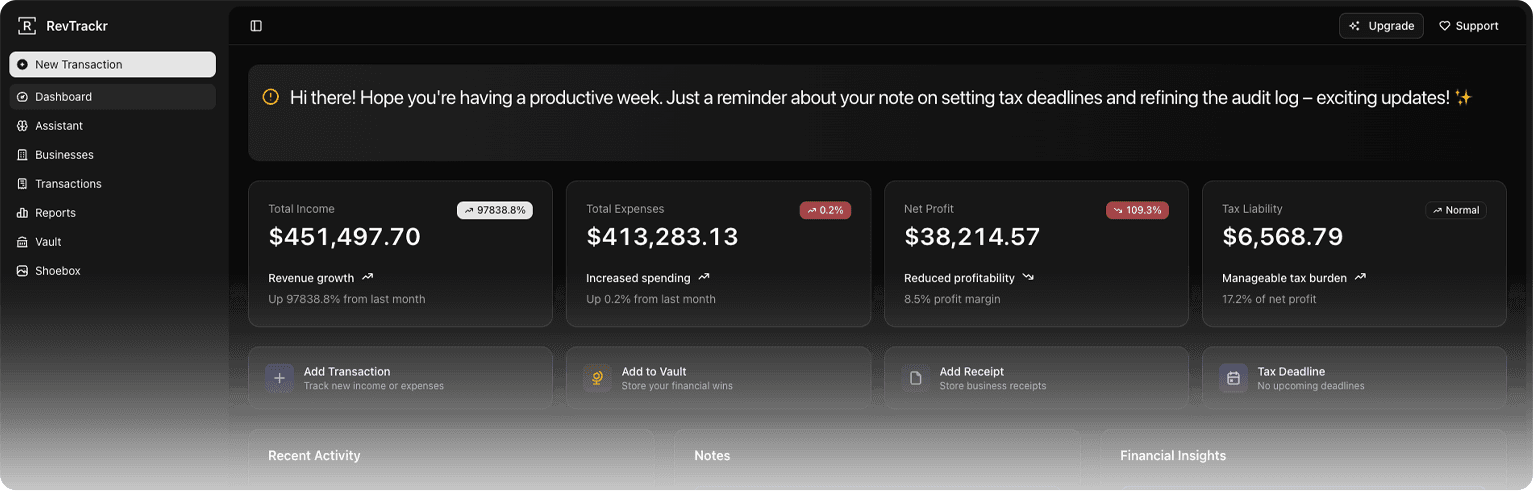
Comprehensive Dashboard
An instant view of your financial health — income, expenses, net, and tax estimations sitting calmly in one place.
For the self-employed
RevTrackr is the financial workspace built for freelancers, side hustlers and one-person businesses who’d rather be doing the work than chasing receipts.
14d
Free trial on paid plans
$0
Free tier, forever
∞
Businesses & transactions on Pro
Everything inside
A small, considered set of tools — built so freelancers and one-person businesses can run their finances without a finance team.
An instant view of your financial health — income, expenses, net, and tax estimations sitting calmly in one place.
Run several income streams or entities from a single account. Each one stays clearly separated, never tangled.
Log income and expenses by business in seconds. Categorize, filter, export — your books stay current without effort.
We do the math you'd rather avoid. Quarterly and annual estimates update as your numbers do.
Ask the assistant anything from your books. Trends, anomalies, plain-language summaries — without exporting a spreadsheet.
Snap a photo, get a transaction. Reads vendor, amount, currency and date off the image, then files it under the right business.
Invite a partner, accountant or assistant into a specific business. Granular access, no oversharing.
How it works
Most accounting apps take a weekend to set up. RevTrackr is designed to be useful within twenty minutes — and quietly more useful from there.
Step 01
Email and password. No card, no questionnaire — you're in within a minute.
Step 02
Set up the entity (or entities). Currency, tax basis, fiscal year — once, then forgotten.
Step 03
Pick your tax rate, threshold and reminders. Sensible defaults if you'd rather not think about it.
Step 04
Log income and expenses against a business. Filter, search, export when you need to.
Step 05
Upload the photo and we file it. OCR pulls the details so the shoebox stops growing.
Step 06
Quarterly summaries, tax estimates, and an AI assistant when something doesn't add up.
Pricing
Four plans. Cancel any time. No surprise charges, no usage fees, no aggressive upgrade prompts. Start on Free for as long as it serves you.
Track the basics. Upgrade whenever you outgrow it.
Multiple businesses, no AI overhead. The freelancer staple.
Everything most freelancers need to feel handled.
Dedicated support, advanced integrations, priority everything.
14-day free trial on Pro and Ultra. Cancel any time, no charge. Plus is a flat monthly price with no trial — cancel any time.
In their words
Designers, developers, consultants and operators using RevTrackr to keep their financial life in order — without it taking over their week.
I used to dread tax season. Now I open the app, see what I owe, and close it. That's it.

Jane D.
Independent designer
Two businesses, one account, no spreadsheet. The clarity alone is worth it.
John S.
Founder, Smith Bottom Co.
It's the first finance tool that hasn't tried to upsell me into something I don't need.
Peter J.
Freelance developer
Ready when you are
Start on the Free tier — or trial a paid plan free for fourteen days. Cancel any time during the trial and you won’t be charged. If you don’t, your books will quietly take care of themselves.